TangoPosture logo TangoPosture Studio Dancer's Guide & Documentation
100% Offline · Private · Built for Tango Dancers

See Your Axis, Feel Your Embrace, Own Your Práctica.

TangoPosture Studio is your personal, offline Argentine Tango movement mirror and video companion. Practice live in front of a single webcam or study your favorite practice clips frame by frame—measured against your own natural posture, never a generic score.
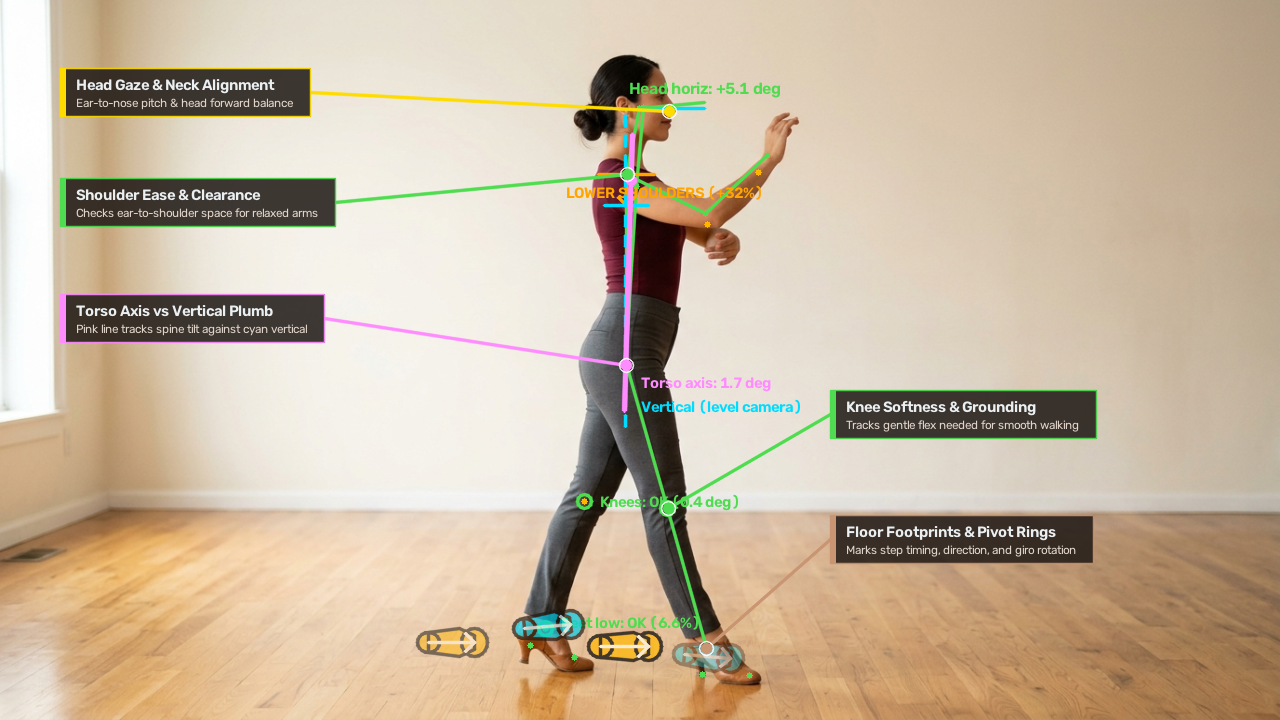
TangoPosture Studio solo dancer posture overlay showing torso axis, head alignment, shoulder clearance, knee bend, and floor footprints
Real Studio posture overlays on a tango walk: vertical plumb reference, torso axis, head ease, soft knees, and floor step footprints. Click any image to zoom.
Step 1 · Setup

Getting Started & Studio Setup

Friendly installation for Windows, Mac, and Linux—plus how to place a single webcam in your living room or studio so every step, shoe, and pivot tracks cleanly.

Open Getting Started Guide →
Step 2 · Every Screen Explained

Studio Menus & Capabilities

A visual tour through all 11 TangoPosture Studio screens—from live Self Practice and guided Self Calibration to frame-by-frame Review, Analytics charts, and your private AI Coach.

Explore the 11 Menus →
Step 3 · Dance Insights

Solo & Couple Metrics Guide

Understand torso axis, head gaze, shoulder ease, knee softness, couple start/settle timing, musical beat offsets, and giro exits—in plain tango language, zero math required.

Read Posture & Metrics →
Your Práctica Flow

How a 10-Minute Tango Práctica Works

Whether you are refining your solo walk before a milonga or checking why a giro exit felt rushed with your partner, TangoPosture keeps the workflow effortless:

1

Frame Your Space

Place one webcam 2.2–3.5 m away at waist-to-sternum height, with both head and tango shoes clearly visible.

2

Capture Your Axis

Use Self Calibration or a favorite clip in Library to save your personal comfort ranges (.tpc).

3

Dance & Record

Open Self Practice to dance to music with live 8-beat phrase tracking and automatic song recording (.tp).

4

Review & Refine

Step frame by frame in Review, compare trends in Analytics, and get private drills from the AI Coach.

Inside the Studio

Visual Snapshots of What You Can Do

Every overlay and workspace in TangoPosture is designed so you can inspect alignment without guesswork—for solo walking drills and couple embrace study alike.
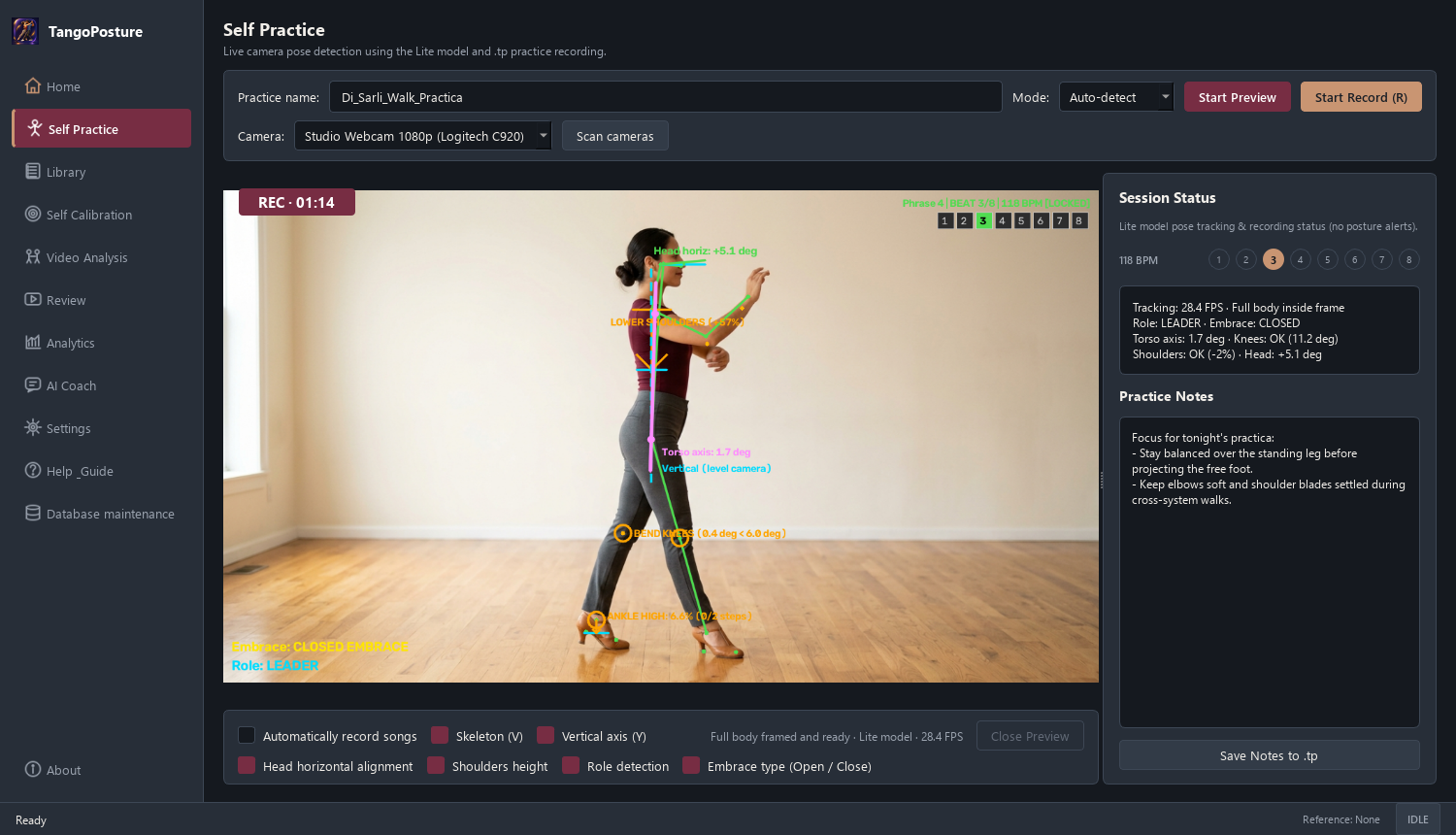
TangoPosture Self Practice screen with live skeleton, torso axis, beat strip, and practice notes
Self Practice: Live pose mirror, 8-beat phrase tracker & dancer notes Click to zoom
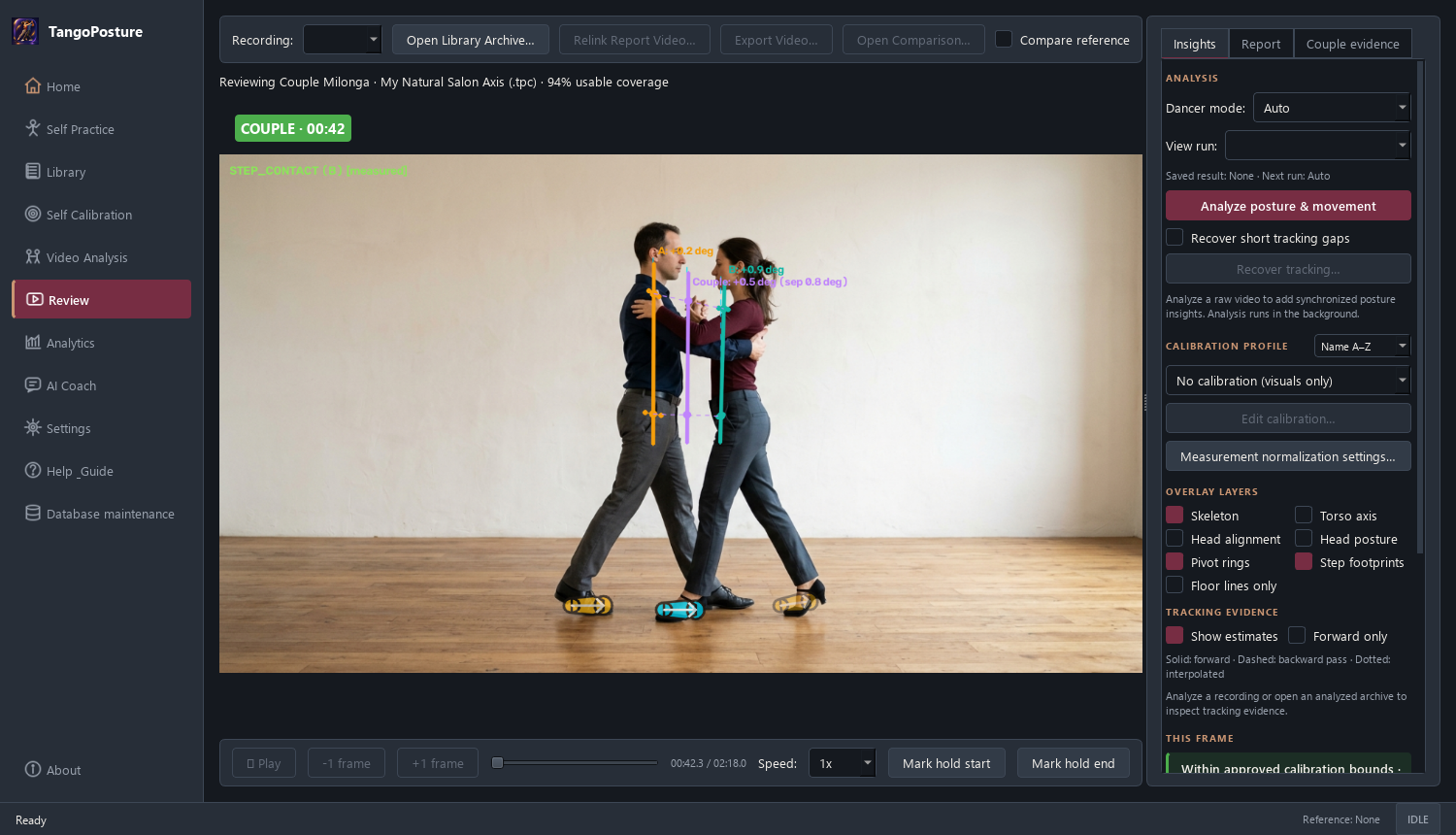
TangoPosture Review screen showing couple torso axes, footprints, and frame-by-frame calibration checks
Review: Couple axes, floor footprints & frame-by-frame status Click to zoom
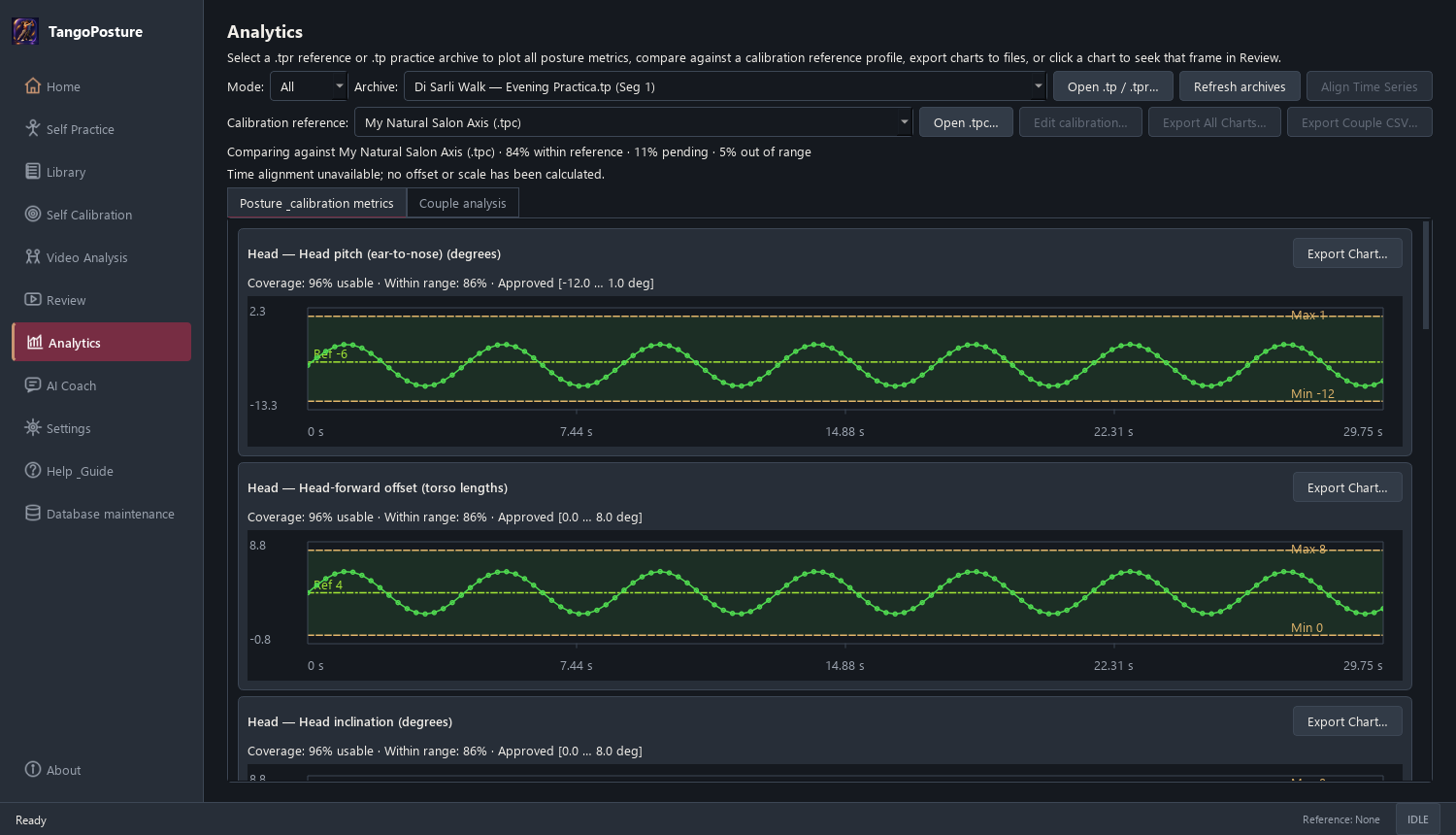
TangoPosture Analytics screen plotting torso axis tilt and head pitch against approved calibration bands
Analytics: Time-series curves with your green comfort band Click to zoom
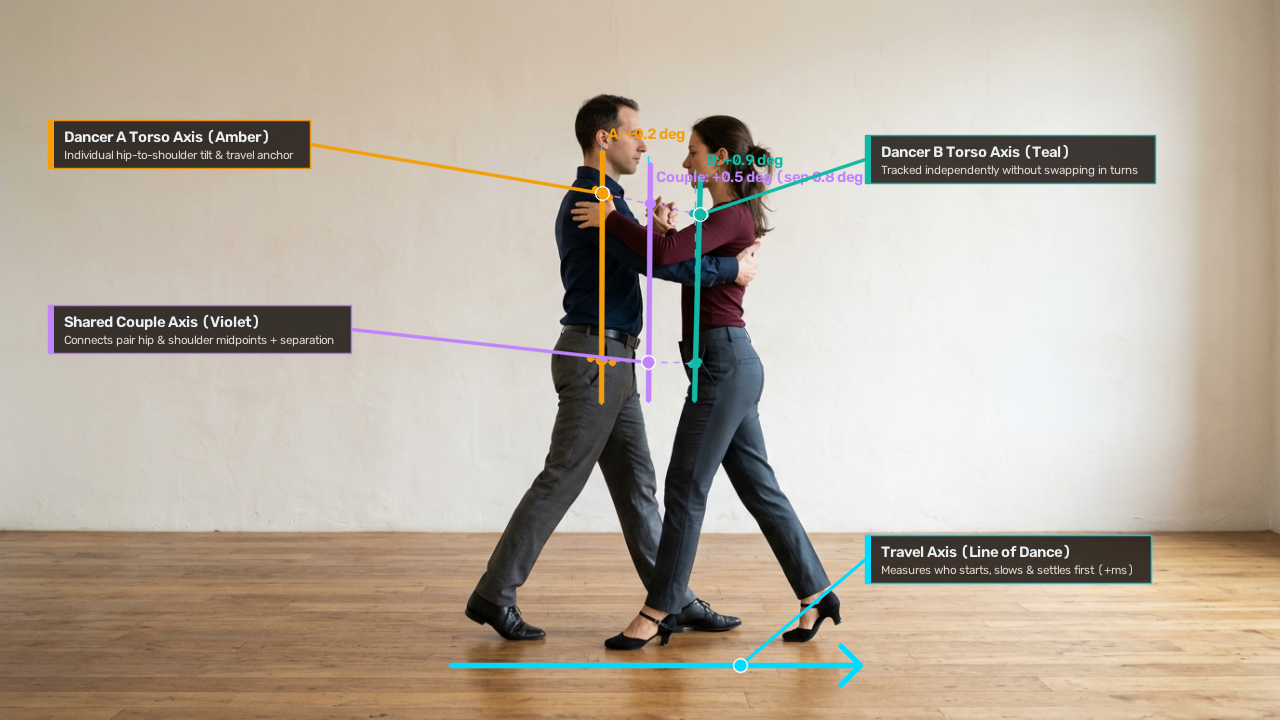
Couple posture overlay anatomy showing Dancer A amber axis, Dancer B teal axis, shared violet axis, and travel arrow
Couple Overlays: Individual axes, shared midpoint & travel direction Click to zoom
100% Local, 100% Yours Your practice videos, calibrations, SQLite history, and optional Ollama AI Coach reflections never leave your computer. Nothing is uploaded to the cloud, and original video files are never overwritten.
Honest Companion, Never a Teacher Replacement TangoPosture observes 2D camera projections of body landmarks to spark better questions for your práctica. It cannot feel your partner's connection, weight transfer, or musical soul—and it never grades your artistry.